Sorry for the delay here. I was mainly getting email comments from the Preview site :) Are you still running into trouble here? If so, could you post your URL so I could see if I can take a quick look?
Hello,
I enjoy your theme. i would like to limit view of posts in archive pages and main index page and add a read more link, is it possible to tell me the way ?
I know about the way when i start out a new post, but i want to apply this to older posts too.
This is a beautiful theme! Thank you for making it available …. I would only love to remove the green leafy image in the background. I originally downloaded this for Blogger: http://btemplates.com/2012/blogger-template-bello/demo/
… and I loved the simple grey dot motif so if there is any way to retain only that, I would appreciate it.
Cheers,
dj
I tried to fix the problem and after changing the lines the background image didnt appear at all in Google Chrome.
Are you sure, the new lines are right so?
Thanks
Wow.
I just can’t believe you give it for free. I really love the design, and looking forward to change my personal blog theme with this one. Can’t wait :)
I downloaded the theme and I love it, but I’m having trouble keeping the background image loaded. Right now it’s not loading at all, I did the fix listed above and it worked for awhile, but now its not loading at all. Also, I’d rather have the background not fade in, but just have it be a static image, is that possible?
Hey Haley,
I get that very same thing with the linked in link! Facebook is fine though.
Would really really love an update guys – would even pay to keep this theme going!
I really do love it, and want to keep – but found my site recently hacked and files modified – not sure of it was through theme integrity or the google maps app, as both had malicious code.
In the theme options, for the social links, is there any way to have other social platforms instead of Flickr & LinkedIn? I wanted to add Pinterest instead.
This is a great theme, but one major bug I’m seeing is that Jetpack forms do not show up at all. They just aren’t generated, even in the code. But using another Theme they show up as expected. Also tried deactivating plugins with no effect.
Love the theme. But I’m having an issue with photo galleries in this theme(not portfolios, but native wp galleries).
If there is more than one gallery on the page, (i.e. more than one post on a page with a gallery in it, not multiple galleries in a post) the first one loads fine but the ones in the posts below it don’t load an image until the ‘next’ arrow button is clicked.
Hi there– I can’t seem to get the background image to show up on my site. When I go to “Bello Options” under Appearance on my dash, and upload a background image, the only thing that shows up is the grid part of the background. What am I doing wrong/is there some sort of coding workaround that can fix this? Thanks for any advice.
How to add sub-text for pages in menu?
I mean texts:
HOME – no place like it
DOCUMENTATION – how do i…
PORTFOLIO – see our stuff
ABOUT BELLO – see gallery style
@Tracey: it happened also to me. Apparently, WordPress is now loading jQuery version 1.9, which do not support $.browser anymore. My quick workaround was to go in the jquery.functions.js file of the theme, and substitute every occurrence of !$.browser.msie with $.support.leadingWhitespace (which, according to documentation, should serve a similar purpose).
I hope this is helping.
Thank you so much! That fixed my background so now it’s showing but my gallery is still messed up. When I click on a picture instead of the gallery working it just opens the picture on a new page. I am not much of a coder so I’m totally lost on the gallery. Thank you for helping me get my background back! <3
Theme is now working properly now. I checked demo on this site but demo also not working properly.
Issues:
Background image is not displaying.
Header Banner is not working.
“Shareaholic | share buttons, analytics, related content” plugin not working on this theme. I check this plugin with other theme and there plugin is working properly.
Ranveer, look at the post above this. Simone told me how to get my background working again and it did work. I cant get my picture gallery working though.
Hi, your theme is really amazing! Could I use some of your codes flow in my commerical wordpress theme project. I don’t copy the whole this theme admin, only part of “update option value”. Would you allow it?
On my blog too, I can’t get my pictures galelries working… When I click on a picture instead of the gallery working it just opens the picture on a new page
Thank you for this theme, it’s great, I love how clean and easy to customize it is. I only had one small problem with it, I couldnt get the “follow us” string to translate using the panel (other strings translate ok though), i had to translate it manually using the editor. Maybe I’m doing something wrong but anyway, thought I’d let you know. Thanks again, wonderful theme!!
Is there a way to get the featured image of a post linked to the actual media file?
The featured image and media file would be the exacte same file, I just would like to possibility of enlarging that image.
Hello,
I have been looking for a simple theme like this and is happy that it’s free!
1. I am new to blogging and just trying to pick a theme for my food blog and is having trouble customizing this theme..I was wondering if I can make this a 2 column theme..I am trying to get rid of the side bar on to the right so that can have a wider main content column.
2. Also when I upload a picture for the background it doesn’t seem to load.
Hi there, I’m wondering why the background worked in the past but stopped working after about a week. I’m using it for my own wedding page. I hope you can help. http://aiofejeff2013.com
I am trying to use the DynamicGrid: Photo Gallery plugin with the Bello theme on one page, however it seems to work but lightbox (part of the plugin) isnt?
I have turned off this theme and put it on TwentyTwelve and it worked with the lightbox on click, yet the Bello theme seems to have something stopping it.
Hello to all,
Following up on JMB’s point, quick question about the compatibility of the Bello theme with Jetpack :
“Problem solved !!!
in wg-includes\functions\wg-custom-functions.php
line 180
replace all line by : wp_register_script( ‘jquery’, ‘http://ajax.googleapis.com/ajax/libs/jquery/1.8.3/jquery.min.js‘);
It will force wordpress to use jquery 1.8.3 instead of the lastest version.
… Waiting an update of the themes & plugins, supporting v1.9 :)”
I can’t get Jetpack’s tiled galleries to work (http://jetpack.me/support/tiled-galleries/)
Is there a conflict between the theme and Jetpack? I tried JMB’s solution but the galleries still don’t show up.
How can I get around this?
Thank you in advance.
Where is the option to change the background dot image to the background bg.image.1.jpg pic? This is the background option shown in the demo and it is in the image file, but I can’t seem to find a way to change it to that. Is that an option?
If so I can fix the background image issue with renaming my backgound bg.image.1.jpg and ftping it up to to the site.
Another issue i am having is getting the comment option off pages. I when to pages, pulled down the “screen option” and unchecked “comments” but they are still there. Help?!
also..still need to get the background uploaded and I don’t have any program that will allow me to access the js files.
I know this is a free theme and there may not be much support available, but, I LOVE this theme! I am a non-tekkie newb to Wordpres and I am trying to figure out how to make all the pages of this theme resemble the “portfolio” page, which has the left sidebar, content, then right sidebar. All other pages only have left and content.
I have tried changing the page defaults, but that doesn’t work. Can you help/
thanks again for the beautiful template. Out of the literally 100′s I have sampled, this by far most meets my needs.
Please help! I’m trying to use this Ajax Calendar Event plug-in, and it won’t seem to display on Bello. It works on the default theme, though. It’s a free plug-in, so you can try it for yourself. What do you think might be causing this problem and is there a simple solution?
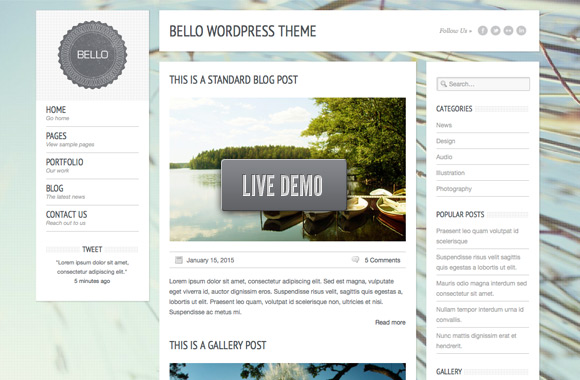
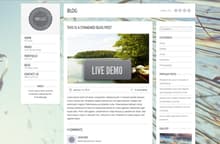
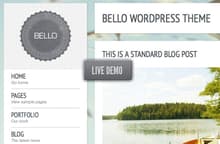
Bello is a simple and elegant WordPress theme. It’s designed to showcase beautiful imagery in a clean and open space. The design features several jQuery enhancements, such as… Fading background image, slideshow gallery posts, drop down menus, and more. The theme includes several post type templates, 2, 3, and 4 column portfolio galleries, social media links, a custom admin panel and documentation. View a demo of the theme here.
Killer design, and Free?! You have outdone yourselves on this one! Beautiful work!
Thanks Merek!
Cant agreed more. This design is so cool.
What an awesome WP theme! And free on top of that, SCORE =)
good very good!!
WOW, Thanks, I was just looking for something like this.
Thanks! It´s so simple and clean! love it ;)
Congrats Nathan. This is absolutely fantastic. My only question is: will theme get frequently updated?
Hi Ari, Yes… We do have several updates planned for the near future.
Nice ! How to remove credit in the footer?
Or, cannot? I can pay to remove the credit link
Hi, is there any support for this theme? I can’t seem to get the background image to show up on all pages…Thanks in advance.
Hi Cecil,
Sorry for the delay here. I was mainly getting email comments from the Preview site :) Are you still running into trouble here? If so, could you post your URL so I could see if I can take a quick look?
Thanks,
- Natalie
Hey! Thanks a bunch for the free WordPress theme! Good quality sometimes is hard to find…till now. Much appreciated!
Damn this is slick, you all are too nice for dropping this one for free, thanks!
Hello,
I enjoy your theme. i would like to limit view of posts in archive pages and main index page and add a read more link, is it possible to tell me the way ?
I know about the way when i start out a new post, but i want to apply this to older posts too.
Thank you,
Mena.
An edit link will be cool if exist in the post
Hi Mena,
I think you’ve figured out your read more link, but in regards to limiting the number of posts in the archive pages:
This is done through WordPress’ settings. Visit your WordPress Settings >> Reading to see that number of posts setting.
For blog. it”s doesn’t work on IE. why? Can you explain for it ? and how to do it to work on IE. Thanks you very much. I like this theme.
Does this theme support widgets and/or ads?
WOW!!!!!!!!!!!!!!!! O_o
Very? VEEERY THANKS!!!
oh my god… this amazing theme….. i will choose this one… !! great work
This is a beautiful theme! Thank you for making it available …. I would only love to remove the green leafy image in the background. I originally downloaded this for Blogger:
http://btemplates.com/2012/blogger-template-bello/demo/
… and I loved the simple grey dot motif so if there is any way to retain only that, I would appreciate it.
Cheers,
dj
There are many bug. When will the next update?
For those with issues with the background fadein not always happening, here is a fix:
Go into Theme folder > js folder > open the jquery.functions.js in a text editor
—————————————————-
REPLACE THESE LINES:
///////// FADE IN BG IMAGE
if (!$.browser.msie){
$(“#bg”).bind(“load”, function () { $(this).fadeIn(2000); });
}
—————————————————-
WITH THESE LINES:
///////// FADE IN BG IMAGE
$(“#bg”).delay(1000).fadeIn(2000);
That should fix your problem!
—————————————————-
The problem is related to
.bind(“load”
You can read more here:
http://stackoverflow.com/questions/5807021/jquery-bindload
I hope this helps!
Hi!
I tried to fix the problem and after changing the lines the background image didnt appear at all in Google Chrome.
Are you sure, the new lines are right so?
Thanks
Love the Theme. My only request is for a google+ link/icon in to top right ‘follow us’ bar.
Thanks guys,
Mike
Wow.
I just can’t believe you give it for free. I really love the design, and looking forward to change my personal blog theme with this one. Can’t wait :)
Thanks a lot guys!
I downloaded the theme and I love it, but I’m having trouble keeping the background image loaded. Right now it’s not loading at all, I did the fix listed above and it worked for awhile, but now its not loading at all. Also, I’d rather have the background not fade in, but just have it be a static image, is that possible?
Please, new update. Thanks! :)
good theme . how to setup portfolio on this theme..?
On my download, the twitter and Facebook goes to a random person. How do I change that?
Hey Haley,
I get that very same thing with the linked in link! Facebook is fine though.
Would really really love an update guys – would even pay to keep this theme going!
I really do love it, and want to keep – but found my site recently hacked and files modified – not sure of it was through theme integrity or the google maps app, as both had malicious code.
Apart from that, great work.
In order for child themes to work with this them, you need to change the style.css reference.
Change:
<link href="/style.css” rel=”stylesheet” type=”text/css”>
To:
<link href="” rel=”stylesheet” type=”text/css”>
First off, AWESOME theme. Love it!
Just a question about flexibility:
In the theme options, for the social links, is there any way to have other social platforms instead of Flickr & LinkedIn? I wanted to add Pinterest instead.
Thanks in advance!
This is a great theme, but one major bug I’m seeing is that Jetpack forms do not show up at all. They just aren’t generated, even in the code. But using another Theme they show up as expected. Also tried deactivating plugins with no effect.
Is there a fix for this somewhere?
Hi I’m some trouble to upload my new logo and fav icon?
can u help me?
Is there any way to repalace the title of the site with an uploaded image?
I can’t force it to wrap text around image. It simply does not work for me…
Its a wonderful theme…thanks for your lovely time you took to create this.The world needs such brilliant minds like yours.
Love the theme. But I’m having an issue with photo galleries in this theme(not portfolios, but native wp galleries).
If there is more than one gallery on the page, (i.e. more than one post on a page with a gallery in it, not multiple galleries in a post) the first one loads fine but the ones in the posts below it don’t load an image until the ‘next’ arrow button is clicked.
See the issue here:
http://accessevents.ca/category/photos/
Changing order doesn’t seem to make a difference, and the jpg files seem fine otherwise.
Any idea why this might be happening?
Thanks.
Hi there– I can’t seem to get the background image to show up on my site. When I go to “Bello Options” under Appearance on my dash, and upload a background image, the only thing that shows up is the grid part of the background. What am I doing wrong/is there some sort of coding workaround that can fix this? Thanks for any advice.
Any way to enlarge submenu width?
How to add sub-text for pages in menu?
I mean texts:
HOME – no place like it
DOCUMENTATION – how do i…
PORTFOLIO – see our stuff
ABOUT BELLO – see gallery style
I want to add these italic texts.
Thanks
You have to create a custom menu under Appearance -> Menus.
The title attribute for every menu item will be the sub-text.
Thanks!
This theme seems to not be working now. Background won’t show, the photo gallery isn’t working :( Not even on the demo
@Tracey: it happened also to me. Apparently, WordPress is now loading jQuery version 1.9, which do not support $.browser anymore. My quick workaround was to go in the jquery.functions.js file of the theme, and substitute every occurrence of !$.browser.msie with $.support.leadingWhitespace (which, according to documentation, should serve a similar purpose).
I hope this is helping.
Thank you so much! That fixed my background so now it’s showing but my gallery is still messed up. When I click on a picture instead of the gallery working it just opens the picture on a new page. I am not much of a coder so I’m totally lost on the gallery. Thank you for helping me get my background back! <3
Theme is now working properly now. I checked demo on this site but demo also not working properly.
Issues:
Background image is not displaying.
Header Banner is not working.
“Shareaholic | share buttons, analytics, related content” plugin not working on this theme. I check this plugin with other theme and there plugin is working properly.
Ranveer, look at the post above this. Simone told me how to get my background working again and it did work. I cant get my picture gallery working though.
Thank you Tracey,
Background image is showing now.
I’m using this template on Blogspot. Already few days, the background image is not displaying. Anyone know how to fix it?
Hi, your theme is really amazing! Could I use some of your codes flow in my commerical wordpress theme project. I don’t copy the whole this theme admin, only part of “update option value”. Would you allow it?
I’m using this template on Blogspot. Already few days the background image is not displaying. Anyone know how to fix it? Please :’(
Any idea to solve the gallery issue ?
On my blog too, I can’t get my pictures galelries working… When I click on a picture instead of the gallery working it just opens the picture on a new page
Thanks
Problem solved !!!
in wg-includes\functions\wg-custom-functions.php
line 180
replace all line by : wp_register_script( ‘jquery’, ‘http://ajax.googleapis.com/ajax/libs/jquery/1.8.3/jquery.min.js‘);
It will force wordpress to use jquery 1.8.3 instead of the lastest version.
… Waiting an update of the themes & plugins, supporting v1.9 :)
Thank You JMB,
All issues has been solved related to bello theme.
Thanks again.
Hi, has anyone got problem with background image, it just stoped working, and it doesn’t appare, I was reuploading many times and still tha same,
thanks a lot
Marek
Hello Marek,
Just follow JMB’s comment.
Hi, sorry I’m not a professional in WP, so I don’t know where can I find it, is it in editor on the left panel – EDITOR – and than functions.php,
where can I find 180 line
sorry if it’s stupid question
thanks
Marek
Thank you for this theme, it’s great, I love how clean and easy to customize it is. I only had one small problem with it, I couldnt get the “follow us” string to translate using the panel (other strings translate ok though), i had to translate it manually using the editor. Maybe I’m doing something wrong but anyway, thought I’d let you know. Thanks again, wonderful theme!!
Is there a way to get the featured image of a post linked to the actual media file?
The featured image and media file would be the exacte same file, I just would like to possibility of enlarging that image.
Tahnk you!
Nevermind, I found it here:
http://codex.wordpress.org/Function_Reference/the_post_thumbnail
Thank you anyway and once again, wonderful theme!
Hello,
I have been looking for a simple theme like this and is happy that it’s free!
1. I am new to blogging and just trying to pick a theme for my food blog and is having trouble customizing this theme..I was wondering if I can make this a 2 column theme..I am trying to get rid of the side bar on to the right so that can have a wider main content column.
2. Also when I upload a picture for the background it doesn’t seem to load.
Ant help will be appreciated! :-(
Best,
~M
Hi there, I’m wondering why the background worked in the past but stopped working after about a week. I’m using it for my own wedding page. I hope you can help. http://aiofejeff2013.com
Hey guys,
I am trying to use the DynamicGrid: Photo Gallery plugin with the Bello theme on one page, however it seems to work but lightbox (part of the plugin) isnt?
I have turned off this theme and put it on TwentyTwelve and it worked with the lightbox on click, yet the Bello theme seems to have something stopping it.
Can you please help?
http://tswpano.com/single-shots-2/
Hallo. Is this site in html?
Because i dont working with php :(
Hello to all,
Following up on JMB’s point, quick question about the compatibility of the Bello theme with Jetpack :
“Problem solved !!!
in wg-includes\functions\wg-custom-functions.php
line 180
replace all line by : wp_register_script( ‘jquery’, ‘http://ajax.googleapis.com/ajax/libs/jquery/1.8.3/jquery.min.js‘);
It will force wordpress to use jquery 1.8.3 instead of the lastest version.
… Waiting an update of the themes & plugins, supporting v1.9 :)”
I can’t get Jetpack’s tiled galleries to work (http://jetpack.me/support/tiled-galleries/)
Is there a conflict between the theme and Jetpack? I tried JMB’s solution but the galleries still don’t show up.
How can I get around this?
Thank you in advance.
I’m not understanding how to make a portfolio, could you post the exact procedure please?
Where is the option to change the background dot image to the background bg.image.1.jpg pic? This is the background option shown in the demo and it is in the image file, but I can’t seem to find a way to change it to that. Is that an option?
If so I can fix the background image issue with renaming my backgound bg.image.1.jpg and ftping it up to to the site.
Another issue i am having is getting the comment option off pages. I when to pages, pulled down the “screen option” and unchecked “comments” but they are still there. Help?!
also..still need to get the background uploaded and I don’t have any program that will allow me to access the js files.
Hi,
The theme is great and simple, but do you plan to update it at all? I know that it’s a freebie… But that doesn’t mean that it shouldn’t work!
There are other bugs like the frame of the captions not being shown. For which you have to add this to the style.css:
.wp-caption {
border: 1px solid #ddd;
text-align: center;
background-color: #f3f3f3;
padding-top: 4px;
margin: 10px;
-moz-border-radius: 3px;
-khtml-border-radius: 3px;
-webkit-border-radius: 3px;
border-radius: 3px;
}
.wp-caption img {
margin: 0;
padding: 0;
border: 0 none;
}
.wp-caption p.wp-caption-text {
font-size: 11px;
line-height: 17px;
padding: 0 4px 5px;
margin: 0;
}
Or also the images aligned as right not aligning at all. Have to add this to the style.css too:
img.centered {
display: block;
margin-left: auto;
margin-right: auto;
}
img.alignright {
padding: 4px;
margin: 0 0 2px 7px;
display: inline;
}
img.alignleft {
padding: 4px;
margin: 0 7px 2px 0;
display: inline;
}
.alignright {
float: right;
}
.alignleft {
float: left;
}
Any plans for an update?
Hi,
Love the theme! How do you install it? :(
Muy bonito, muchas gracias
I know this is a free theme and there may not be much support available, but, I LOVE this theme! I am a non-tekkie newb to Wordpres and I am trying to figure out how to make all the pages of this theme resemble the “portfolio” page, which has the left sidebar, content, then right sidebar. All other pages only have left and content.
I have tried changing the page defaults, but that doesn’t work. Can you help/
thanks again for the beautiful template. Out of the literally 100′s I have sampled, this by far most meets my needs.
thank you!
Michael
Thanks For Great Themes.
The site was very beautiful!
Thank you very much!!!
Please help! I’m trying to use this Ajax Calendar Event plug-in, and it won’t seem to display on Bello. It works on the default theme, though. It’s a free plug-in, so you can try it for yourself. What do you think might be causing this problem and is there a simple solution?
Here’s the FAQ for the plug-in- https://code.google.com/p/wp-aec/wiki/FrequentlyAskedQuestions
How do I remove your credit link from all pages? I will happily pay for it.
Thanks,
Brian